API Keys Management#
Introduction#
The API Keys Page allows users to create and manage API keys for accessing Hafnova services securely. API keys provide authentication and authorization to interact with different system functionalities.
1. API Keys Section#
This section displays existing API keys and allows users to generate new ones.
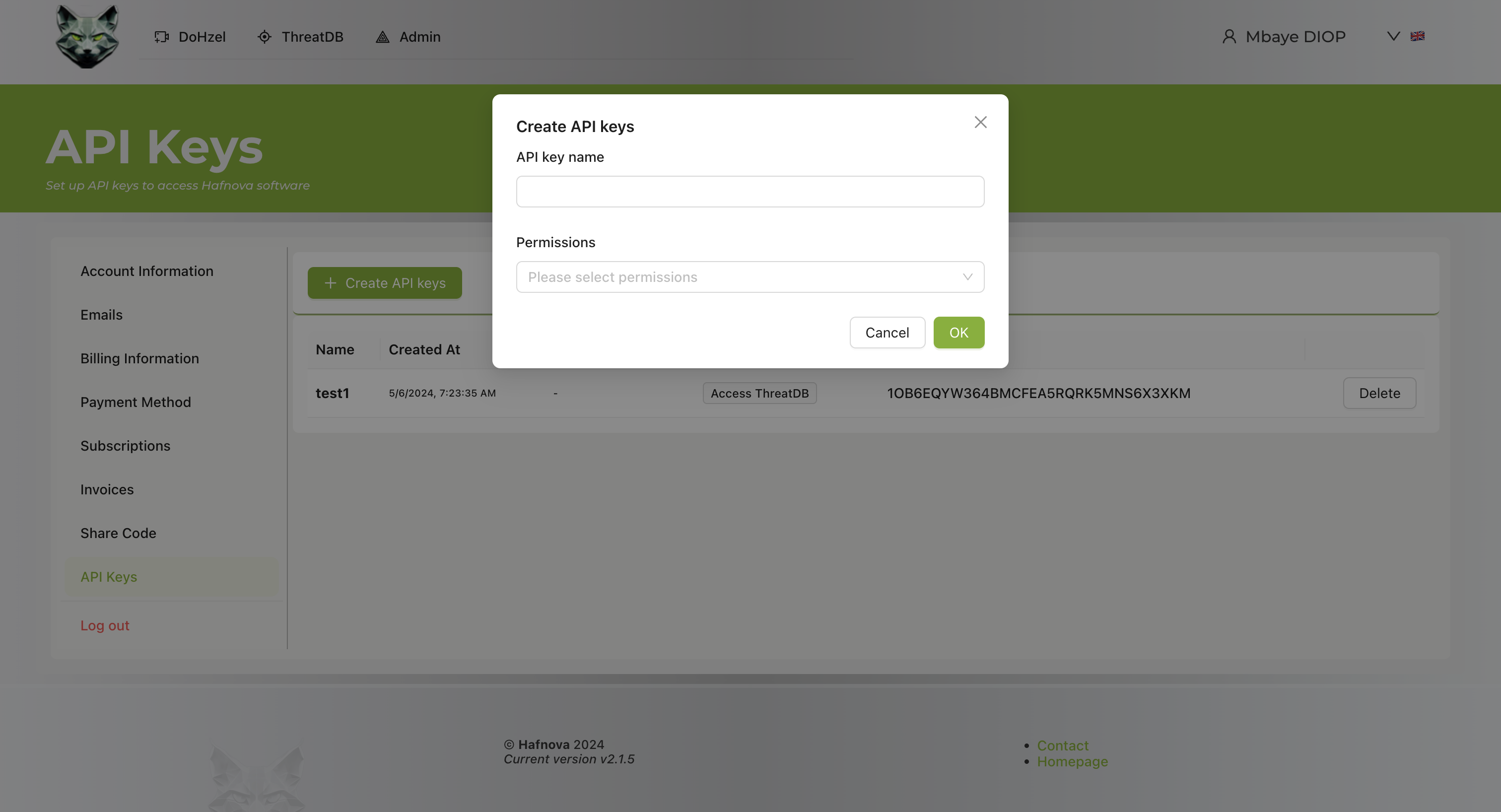
- API Key List: Displays a table of created API keys with the following columns:
- Name: The user-defined name for the API key.
- Created At: Timestamp of API key creation.
- Permissions: Displays assigned access permissions.
- Key: The generated API key.
- Delete Button: Allows the user to remove an API key.
2. Creating a New API Key#
Users can create a new API key by following these steps:
- Click the Create API keys button.
- Enter a unique API key name.
- Select the required permissions from the dropdown menu.
- Click OK to generate the API key.
- Copy and securely store the API key as it will not be shown again.
3. Managing API Keys#
Viewing API Keys#
- Navigate to the API Keys section.
- View the list of previously created API keys.
Deleting an API Key#
- Locate the API key to be removed.
- Click the Delete button next to the corresponding API key.
- Confirm the deletion if prompted.
Footer Information#
The footer contains:
- Version Information: Displays the current system version (2.1.5).
- Contact and Homepage Links: Quick access to support and homepage.
Additional Notes#
- API keys should be treated as sensitive credentials and stored securely.
- API keys can be assigned different permission levels to restrict access.
- Deleting an API key will immediately revoke access for applications using that key.
- API keys cannot be recovered once deleted; a new key must be created.