Account Information Management#
Introduction#
The Account Information Page allows users to manage their personal details, account preferences, and settings efficiently. This page is essential for maintaining accurate user data and configuring account-specific options.
1. Account Information Section#
This section displays the user's key account details and allows updates. The following fields are available:
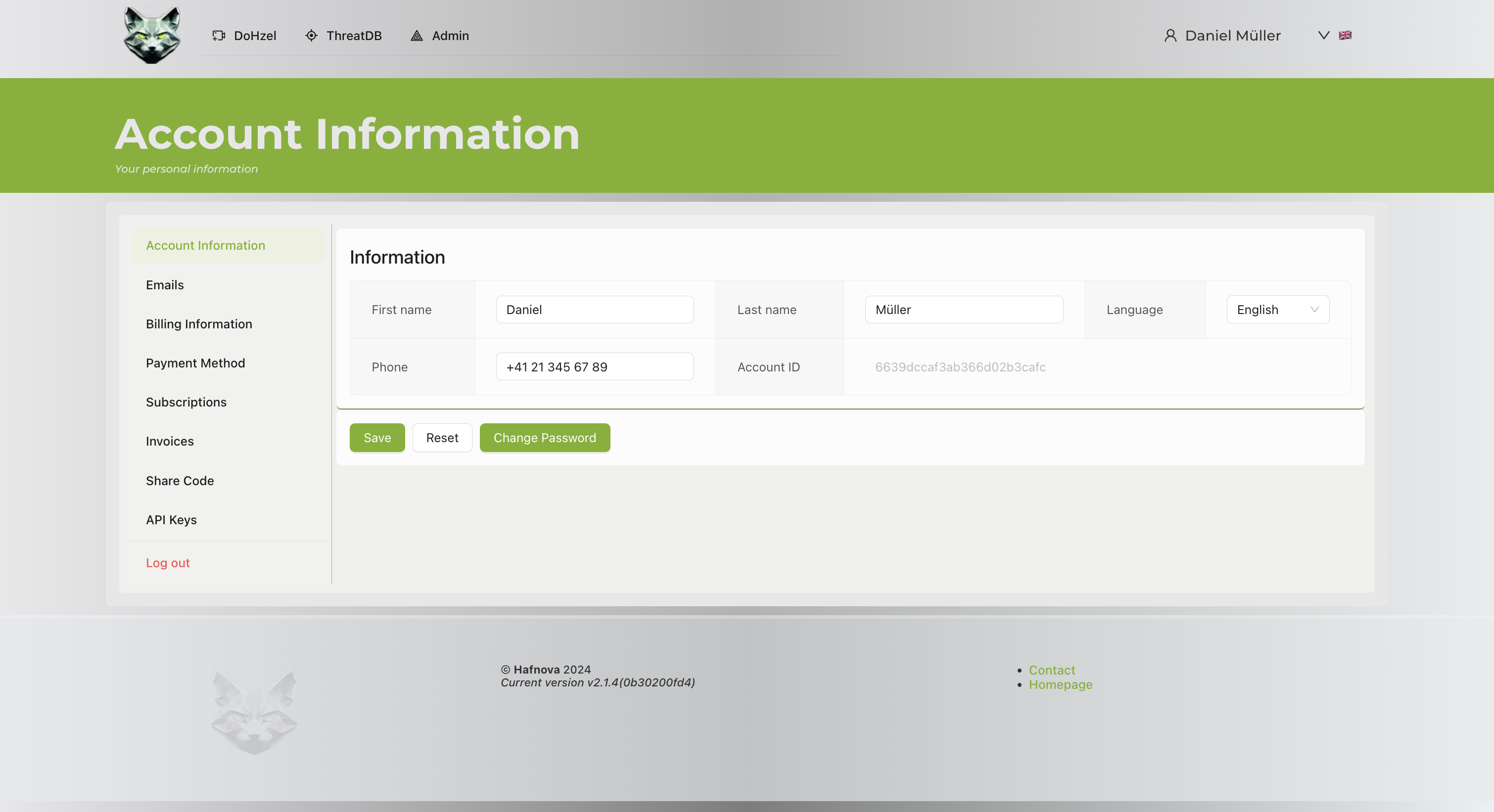
- First Name: Editable text field for the user's first name.
- Last Name: Editable text field for the user's last name.
- Phone Number: Editable text field to update the contact number.
- Account ID: Read-only field displaying a unique account identifier.
- Language Preference: Dropdown menu to select the preferred language.
2. Action Buttons#
The following buttons are available for user actions:
- Save: Save changes made to the account information.
- Reset: Clear changes and revert to the previously saved state.
- Change Password: Open a password change form.
User Actions#
Updating Account Information#
- Navigate to the Account Information section.
- Update the desired fields (First Name, Last Name, Phone Number, or Language Preference).
- Click Save to confirm the changes.
Changing Password#
- Click on Change Password.
- Follow the prompts to enter and confirm a new password.
Resetting Changes#
If you make changes by mistake or want to revert: 1. Click Reset to clear unsaved changes.
Footer Information#
The footer contains:
- Version Information: Displays the current system version.
- Contact and Homepage Links: Quick access to contact support and the system homepage.
Additional Notes#
- Ensure the Account ID remains unchanged as it is a system-generated identifier.
- Changes to sensitive information like phone numbers and passwords should be confirmed via secure means.
- The language selection dropdown offers multiple language options to customize the interface.