Advisory on browsers' internal DoH#
Many browsers propose an internal DNS over HTTPS functionality to enhance users' privacy. However, in order to not undermine DoHzel far superior privacy enhancement, this must be disabled. Below are the instructions for popular browsers. Note this Safari does not provide this functionality.
Be aware that group policies may change the browser's DoH configuration, or may even prevent the user from accessing these settings.
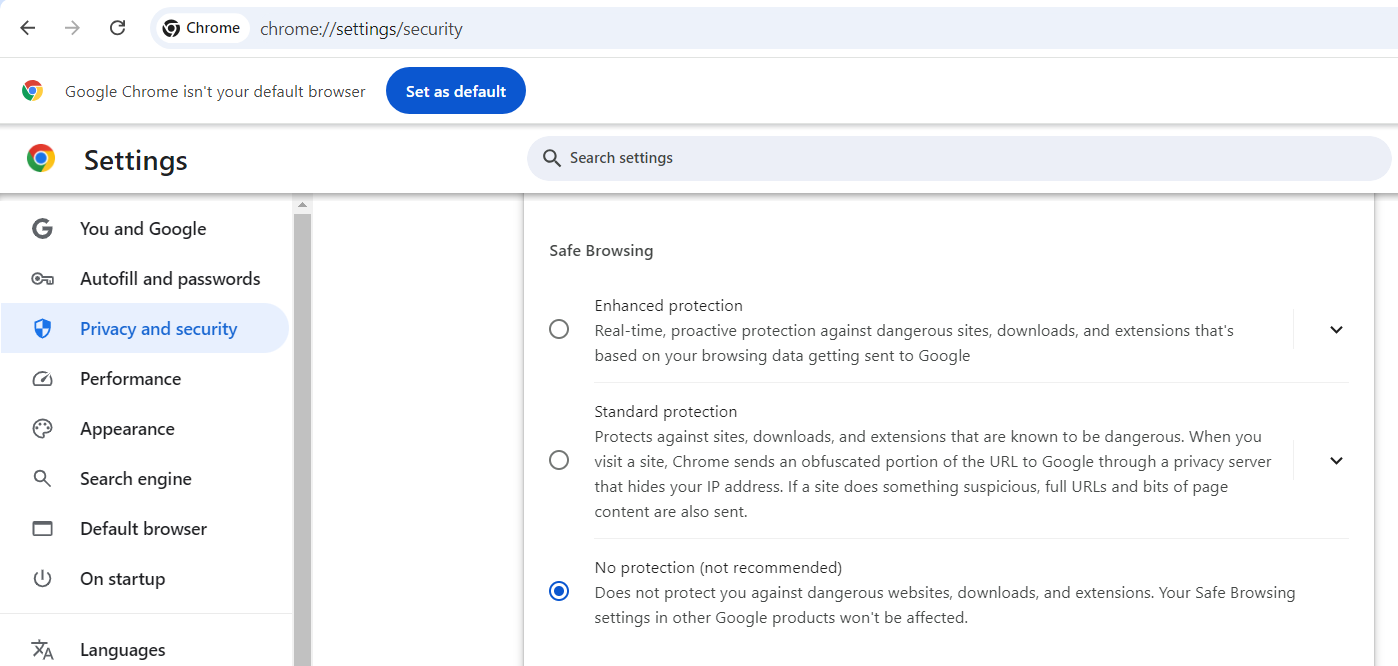
Chrome#
- Open browser's preferences
- Navigate to "Privacy and security"
- Scroll down to "Safe Browsing"
- Select "No protection"
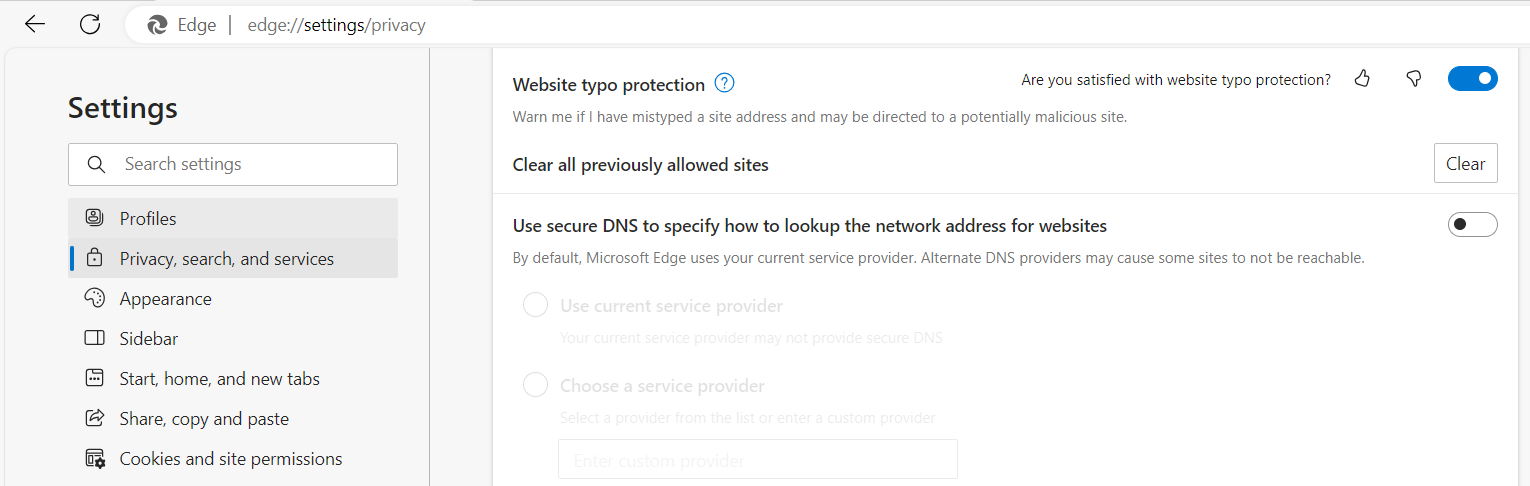
Edge#
- Open browser's preferences
- Navigate to "Privacy, search, and services"
- Scroll down to "Use secure DNS to specify..."
- Deactivate the toggle
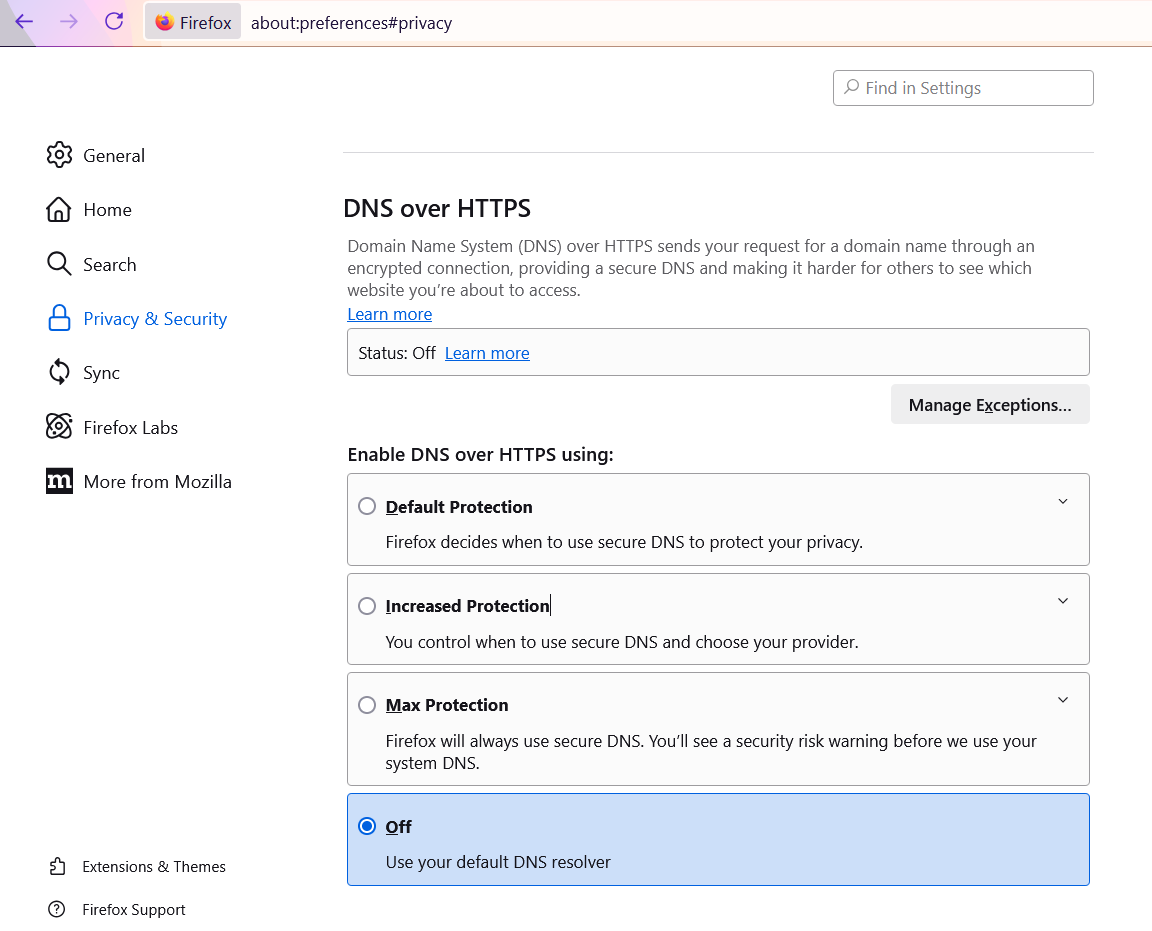
Firefox#
- Open browser's preferences
- Navigate to "Privacy & Security"
- Scroll down to "DNS over HTTPS"
- Select "Off"